
Plenty of people get as far as your contact form and leave without pressing send. They were interested enough to start. Something about the form stopped them. Usually it is one of a handful of fixable things.
Ask for less
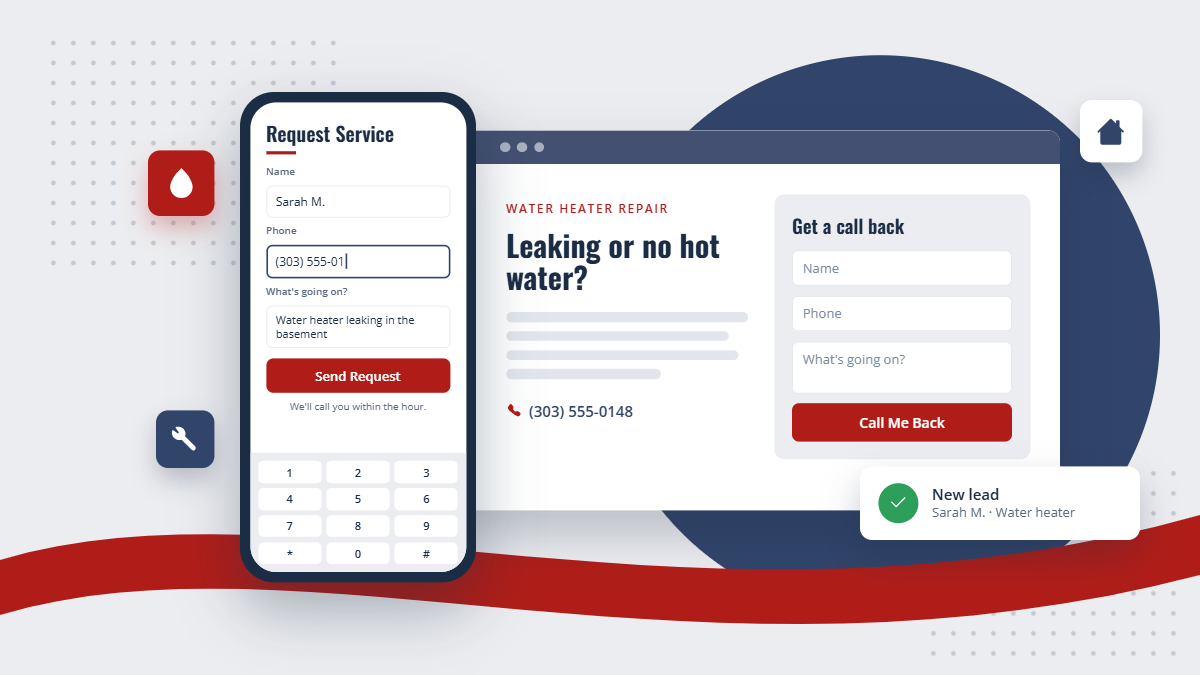
Every extra field is a reason to quit. For a service call you need a name, a phone number, and a sentence about what is going on. An email address and the address of the job are helpful. Almost everything else can wait for the phone call.
If you need more detail to quote accurately, ask for it in one plain question ("What's going on, and how old is the unit?") rather than a page of dropdowns.
Say what happens next
The biggest hesitation is not knowing what pressing send will do. Will someone call? When? Will they get spammed? A single line next to the button answers all of it: "We'll call you within the hour during business hours." Then keep the promise.
A short note about privacy helps too, with a link to your privacy policy. People are rightly careful about where they leave their phone number.
THE SHORT VERSION
Ask only what you need to call them back, say exactly what happens after they press send, put the form where the decision gets made, and make sure it is easy to use on a phone.
Put it where the decision happens
A form buried on a "Contact Us" page gets far fewer submissions than one on the page where someone is reading about the service they need. Put a short form on your service pages, near the top on phones, and keep your phone number visible beside it for people who would rather call.
Make it work on a phone
Most of your visitors are on a phone, often standing in front of the problem. Fields should be large enough to tap, the phone field should bring up the number keypad, and the email field the email keyboard. Error messages should say what to fix, next to the field, without wiping out what they already typed.
How LeadPointe forms handle it
LeadPointe forms are built in a drag-and-drop form builder and placed on any page. Phone and email fields bring up the right keyboard, required fields are checked as people type, and errors appear next to the field without clearing the form. Each field maps to the contact record, so a submission becomes a contact with the answers attached, and spam checks run before anything reaches you.