
For a local service business, Facebook is less about going viral and more about being checked out. Someone gets your name from a neighbor, then looks you up to see if you are real, reachable, and decent. Your page either answers that quickly or sends them to the next name on their list.
1. Post real photos of real work
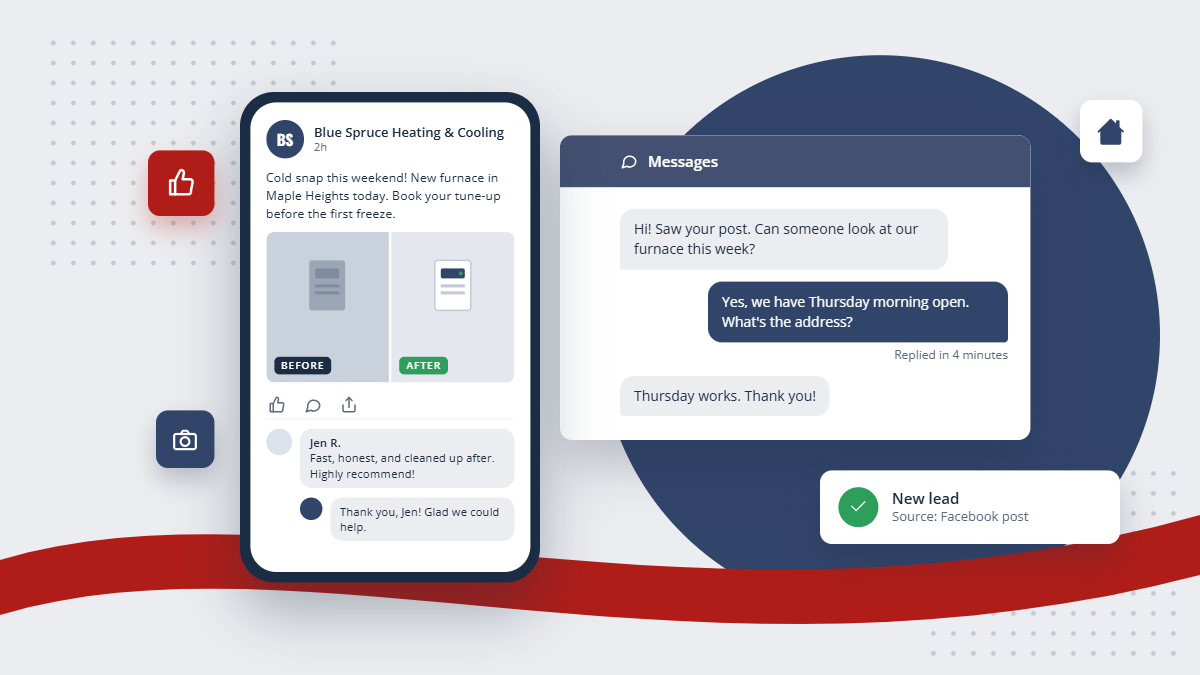
A clean install, a before-and-after, your truck at a job, your team. Real photos from your own jobs build more trust than any stock image or graphic. A phone photo with a sentence about what you did is plenty.
2. Answer messages quickly
People message businesses on Facebook the same way they text. If a message sits for a day, that customer has already booked someone else. Turn on notifications for the page, or have someone on the team own the inbox during business hours.
3. Make your details match everywhere
Your phone number, hours, service area, and website should be identical on Facebook, your website, and your Google listing. Mismatched hours or an old phone number make you look closed, and they confuse the services that pull your details from more than one place.
THE SHORT VERSION
Treat your Facebook page as the place people check you out: real photos, fast replies, details that match your website, honest reviews, local posts, and tagged links so you can see what it sends you.
4. Ask happy customers for recommendations
After a job goes well, ask the customer if they would recommend you on Facebook or leave a review. Do not offer anything in exchange, and never pay for likes or reviews. Facebook's rules prohibit it, and fake numbers fool nobody who reads them.
5. Keep it local and seasonal
Post what is relevant to people near you right now: a cold snap coming, the week to book an AC tune-up, a reminder to check the sump pump before spring rain. Local and timely beats clever.
6. Track what Facebook actually sends you
When you link to your website from Facebook, in a post, in your page details, or in an ad, use a tagged link so the visit is labeled as coming from Facebook. Facebook also adds its own click ID to ad links.
LeadPointe records those labels on every visit, and its website statistics show visits and leads by source, campaign, and ad. A lead who fills out a form keeps that first source on their contact. After a few months you can see whether Facebook is sending you customers or just likes.